
The Oklahoman News
USA TODAY Co.News & Magazines
3.481.00 Reviews
- Version
- 8.10.3
- Installs
- 10.00K
- Age Rating
- Teen
Screenshots
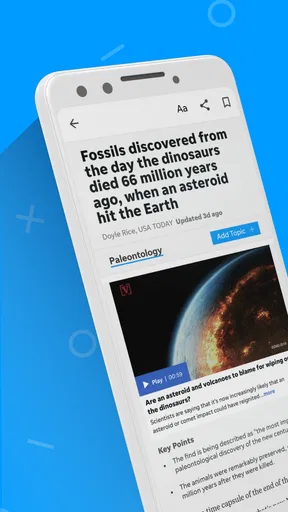

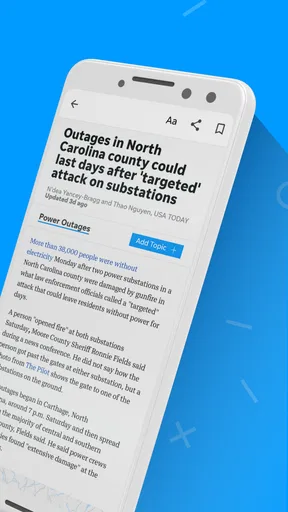

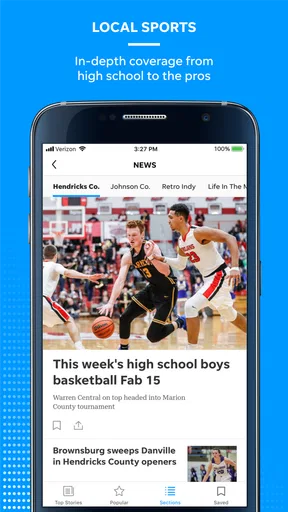
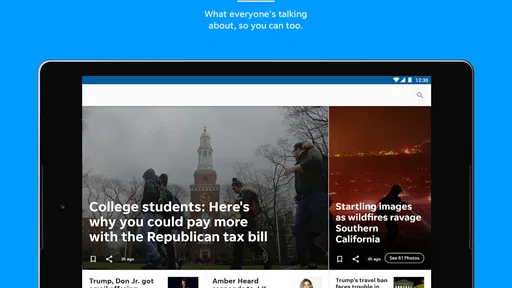
Our Review of The Oklahoman News
 Analysis by Appyee
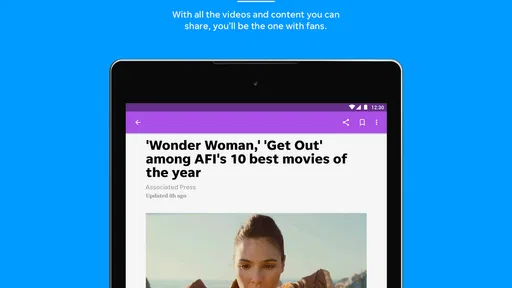
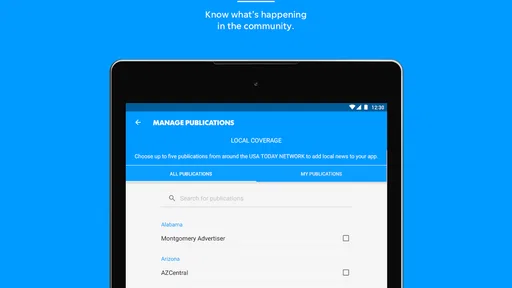
I approached The Oklahoman News as a practical news-reading app rather than something to open once and forget. Its purpose is straightforward: bring Oklahoman coverage together with national reporting, photography, and video in a mobile format. That makes it most useful when you want a quick local update during a busy day, but it also means your experience depends heavily on how well the app fits your reading habits and how smoothly it behaves on your phone.
The app is developed by USA TODAY Co. and belongs to the News & Magazines category. It is free to install, with optional in-app purchases ranging from $19.99 to $69.99 per item. The Teen content rating is worth noting for families, especially because news can cover serious events, crime, politics, disasters, and other subjects that may not suit younger readers.
After spending time with it, my view is fairly balanced. The Oklahoman News can be a convenient local-news companion, particularly for readers who want Oklahoma-focused reporting without relying entirely on a browser. However, it is not automatically the best choice for every reader. People who want a completely general national-news app, a highly customizable feed, or a minimal reading experience may prefer a different option.
Where readers are most likely to get stuck
The first point of friction is deciding what role this app should play. The name makes its local focus clear, but the store summary also points to national news, photography, and video. In practice, that combination can create different expectations. Someone looking for neighborhood-level updates may want to explore local sections carefully, while someone expecting a broad national-news dashboard may find the Oklahoma emphasis more prominent than anticipated.
I recommend treating the app as a local publication in your pocket, not as a replacement for every source of information. That mindset makes the experience easier to judge. Its value is strongest when the news you care about is connected to Oklahoma and when you appreciate visual reporting. If your main goal is international coverage or a broad collection of unrelated publishers, a general news aggregator will probably be a better fit.
Another common sticking point is the difference between installing an app and being ready to use it. The current version is 8.10.3, and it requires Android 8.0 or later. That requirement is modest, but an older phone can still create problems through limited storage, outdated system components, poor background connectivity, or aggressive battery-saving settings. When an app seems slow or refuses to load, the operating system is not always the obvious suspect.
The app has an average rating of 3.4 from around 160 ratings, with roughly 81 written reviews. I would read that as a sign to keep expectations realistic rather than as a simple thumbs-up or thumbs-down. News apps are especially sensitive to device settings, network quality, account state, and changing content feeds, so ratings often reflect a mixture of editorial preferences and technical experiences.
The installation base is over 10K, which suggests a smaller, more locally focused audience than the biggest national news platforms. I see that as both a strength and a limitation. A smaller audience can make the app feel more purpose-built for readers interested in Oklahoma, but it also means you should not expect the same breadth or ecosystem as a major all-purpose news service.
What to check before blaming the app
If the app opens but the content area looks empty, I first check whether the phone is actually online. A weak mobile signal can allow the shell of a news app to appear while articles, images, or videos fail to arrive. Switching briefly between Wi-Fi and mobile data is a simple way to separate a connection issue from an app issue.
I also check whether other websites or apps can load normally. If everything else is struggling, reinstalling the news app will not solve the underlying problem. If only this app is affected, then closing it fully and opening it again is a sensible first step. This sounds basic, but it avoids making unnecessary changes before identifying where the failure is happening.
Storage is another overlooked check. News content often includes large photographs and video, and a phone that is close to full can behave unpredictably even when an app itself is not especially large. Freeing a little space, restarting the device, and trying again can be more effective than repeatedly tapping a refresh control.
For Android users, I would also look at whether the operating system meets the minimum requirement and whether the app is updated through the normal app store. The Oklahoman News was released on May 31, 2019, but that release date should not be confused with its current software state. What matters for installation is the present version and the phone’s compatibility, not simply how old the app’s original release is.
A calmer setup routine
My preferred setup routine is deliberately unhurried. I install the app, open it on a reliable connection, and give the initial content time to appear before judging performance. If a screen seems unfinished, I avoid repeatedly switching between sections, because that can make it harder to tell whether the app is still loading or has actually stalled.
Once the basic interface is available, I spend a few minutes checking how local and broader stories are presented. This matters because the app’s usefulness depends on whether its organization matches your priorities. If you mostly care about Oklahoma events, look for the areas that bring those stories forward. If you are mainly interested in national headlines, compare how much attention those receive before deciding whether the app belongs in your daily routine.
Because the app includes photography and video, I would test both on Wi-Fi and on mobile data before using it during commutes or travel. A page that feels quick on a home network may feel much less convenient when the signal is inconsistent. This is also a practical way to decide whether you want to rely on it for short breaks, where waiting for media to load can defeat the purpose of a quick news check.
The free installation is useful for trying the experience without an upfront purchase. At the same time, the presence of optional purchases means I would pay attention to any screen that asks me to continue, subscribe, or buy access. I would not assume that installing the app means every part of the reading experience is included at no cost. Before confirming anything, read the wording on the purchase screen and make sure it matches what you actually want.
That is especially important for readers who only want occasional headlines. A person who checks local news once or twice a week may not value a paid option in the same way as someone who reads throughout the day. The right decision depends on your usage, not on the fact that the app is free to download.
Recovering your reading workflow when something goes wrong
A useful news app should fit into small moments: checking headlines before work, following a developing local story, or watching a short report during a break. When the workflow breaks, I recover it in stages rather than jumping straight to deletion.
First, I return to the simplest view available and try opening one article instead of several items at once. If text loads but images or video do not, that points toward a media or connection problem rather than a total app failure. If nothing loads, I close the app, reopen it, and test the connection again. This staged approach helps preserve the distinction between a slow feed, a single problematic item, and a broader outage.
If the same screen remains stuck, restarting the phone is reasonable. It clears temporary system problems without changing your account or reading habits. I would only move to more disruptive actions, such as clearing app data or reinstalling, after checking whether I know how the app handles any sign-in or saved preferences. Reinstallation can fix damaged local files, but it can also force you to repeat setup steps.
When video is the problem, I do not use it as the only measure of the app’s quality. Video is more demanding than text, and a news app can remain useful for reading even when a clip is slow. I switch to article reading, try a stronger connection, and return to the video later. That is a better everyday workflow than abandoning the entire app because one media element is inconvenient.
Photography deserves a similar distinction. Images are part of the app’s appeal, but they can also make a page feel heavier than a text-only news reader. If you are checking headlines on a limited connection, prioritize the written story first and treat visual content as something to explore when conditions are better. This is one of the clearest trade-offs between a richer presentation and a faster, leaner reading experience.
Another practical habit is to note whether a problem affects one story or the whole app. A single article may be temporarily unavailable, while the rest of the feed works normally. In that case, repeatedly reinstalling the app is excessive. Try another story, return later, and use the functioning parts of the app in the meantime.
Separating account and purchase confusion from technical trouble
Some frustration comes from uncertainty about access rather than from loading problems. If a reader encounters a purchase prompt, the first question should be what the prompt is offering and whether it is necessary for the specific action they are trying to take. Do not confirm a transaction simply to get past an unfamiliar screen.
The listed in-app purchase range is from $19.99 to $69.99 per item, so these are not trivial accidental taps for most people. I would review the purchase details carefully, especially on a shared device. If you are only testing the app, keep your trial focused on the freely available parts until you understand how the paid options fit your reading needs.
If you have already made a purchase and the expected access does not appear, I would first confirm that the transaction completed through the relevant app-store account, then close and reopen the app. If the issue continues, keep the receipt or transaction record available when seeking support. That gives you a clearer starting point than describing the problem as simply “the app does not work.”
When the app is not the cause
News delivery can be affected by events outside the application itself. A temporary server issue, a regional network problem, or a content update that has not finished propagating can look like a broken interface. If the app worked earlier and suddenly stops loading while other phone functions remain normal, waiting briefly and trying again can be more sensible than making permanent changes.
Phone settings can also interfere with a smooth session. Battery-saving tools may restrict background activity, while data-saving settings can make image-heavy pages or video less convenient. I would check those settings if the app behaves differently when the screen is locked, when switching networks, or after a long period without opening it.
Permissions are another area where I prefer a focused approach. If the app asks for access that does not seem relevant to reading news, pause and review the request rather than approving everything automatically. At the same time, avoid assuming that every permission prompt is evidence of a defect. Read the wording, decide whether the requested access makes sense for the action you are taking, and continue only when you are comfortable.
The same principle applies to notifications. Alerts can be helpful for urgent local developments, but too many interruptions can make a news app feel demanding. If notifications become distracting, adjust them through the app or phone settings rather than uninstalling immediately. A quieter setup may turn an irritating experience into a useful one.
Readers should also remember that editorial disagreement is different from technical failure. You may dislike the prominence of a topic, the amount of national coverage, or the way an article is presented. Those are valid reasons to choose another publication, but clearing storage or reinstalling will not change the editorial approach. The app is not the right tool for everyone, and recognizing that early saves time.
Who gets the most value from this local focus
I would recommend The Oklahoman News to someone who wants a dedicated Oklahoma news source and appreciates a mix of written reporting, strong photography, and video. It makes sense for residents following events close to home, former residents keeping an eye on the state, or readers who want local coverage alongside broader headlines in one place.
A realistic use case is a morning routine: open the app over Wi-Fi, scan the local stories first, read one or two articles in full, and save the video-heavy items for later when you have a better connection. That workflow respects the app’s visual strengths without making every quick check depend on media loading immediately.
I would be less likely to recommend it to someone who wants only a minimalist headline list, a worldwide news mix, or a single place to compare many publishers. A browser bookmark may be more flexible for occasional readers, while a general aggregator may be better for people who want several regions and subjects in one feed. The Oklahoman News has a clearer identity than those alternatives, but that identity narrows its usefulness for some audiences.
My practical verdict
The Oklahoman News is worth trying if local Oklahoma reporting is central to your daily reading. Its free entry point makes that trial straightforward, and the combination of local and national stories with photography and video gives it more depth than a bare headline feed. I particularly like the idea of using it in short, repeatable sessions rather than expecting it to replace every other news source.
My reservations are equally practical. The average rating of 3.4 suggests that the experience has not been universally smooth, and the app’s media-rich presentation may expose connection or device limitations more than a text-only alternative would. Optional purchases also mean that readers should understand what they are selecting before paying, especially if they only want casual access.
For the best results, install it on a compatible Android phone, test it on a dependable connection, explore the local sections before judging its breadth, and separate loading problems from editorial preferences. If the app fits your location and reading style, it can become a useful daily checkpoint. If you want a broad, highly customizable news service or the lightest possible reading experience, another option will likely serve you better.
Overall, I see it as a focused local-news tool with worthwhile visual content, not a universal news replacement. The best reason to keep it installed is a genuine interest in Oklahoma coverage; without that connection, its narrower purpose and occasional setup friction are harder to justify.
Verdict
Strengths of The Oklahoman News
- Clear coverage of Oklahoma politics, local events, sports, and community news.
- Breaking-news alerts help readers stay informed about important developments.
- Easy access to articles, photo galleries, videos, and opinion content.
- Personalized sections make it simpler to follow preferred topics and regions.
- Digital subscription can provide convenient access to the full news archive.
Limitations of The Oklahoman News
- Many premium articles may require a paid subscription to read completely.
- Some content can feel heavily focused on the Oklahoma City area.
- Frequent notifications may become distracting unless carefully customized.
- Advertising and subscription prompts can affect the reading experience.
- App performance and article loading may depend on connection quality.
Other Releases by USA TODAY Co.
View All
IndyStar: Indianapolis Star
News & Magazines2.7

AZ Central: Arizona Republic
News & Magazines2.5

The Detroit News: Local News
News & Magazines3.1

Detroit Free Press: Freep
News & Magazines3.0
Similar Picks in This Category
View All
Google News - Daily Headlines
Google LLC4.0

X
X Corp.4.8

Flipboard:Your Social Magazine
Flipboard3.4

Opera News: breaking & local
Opera4.5

Hindi News by Dainik Bhaskar
Dainik Bhaskar Group4.0

Way2News Daily News App
Way2News ( Formerly Way2SMS )4.6
Frequently Asked Questions
What is The Oklahoman News app?
The Oklahoman News app is a digital news platform focused on Oklahoma and the surrounding region. It provides access to local reporting, breaking news, politics, sports, weather, business, entertainment, and community stories. After installing it, users can browse the latest headlines, open full articles, save selected content, and receive updates about important events happening across the state.
Is The Oklahoman News app free to download and use?
The app can generally be downloaded at no cost from the official Android or iOS app store. However, free access may be limited, and some articles or premium features can require a subscription or account. Before downloading, users should review the current subscription terms, trial conditions, renewal details, and any in-app purchase information shown in their region.
What type of news and content can I find in the app?
The Oklahoman News app is designed primarily for readers who want Oklahoma-focused journalism. Its coverage may include local and statewide news, college and professional sports, weather forecasts, traffic, crime, politics, business, food, culture, and lifestyle topics. Content availability can change throughout the day as reporters publish breaking stories and updates.
Does The Oklahoman News app send notifications?
Yes, the app may offer push notifications for breaking news, major local developments, sports results, weather alerts, and other selected topics. Notifications can be useful if you want immediate updates, but they may become frequent during busy news periods. You can usually manage notification permissions in the app or in your device settings after installation.
Can I read The Oklahoman News offline?
Offline reading capabilities may be limited and can depend on the current version of the app, your subscription, and the type of content you access. Articles generally need to load while you have an internet connection, and some features may not work without data. For the best experience, use Wi-Fi or a reliable mobile connection when browsing news.
